![mw-logo-svg (1).svg]](https://kb.mindweal.com/hubfs/mw-logo-svg%20(1).svg)
If your child is a sibling of a current active MindWeal patient and shares the same Primary Guardian account, this guide will walk you through the process of adding them to the platform and completing their onboarding process seamlessly.
Please follow the steps below:
-
Log into your MindWeal account.
-
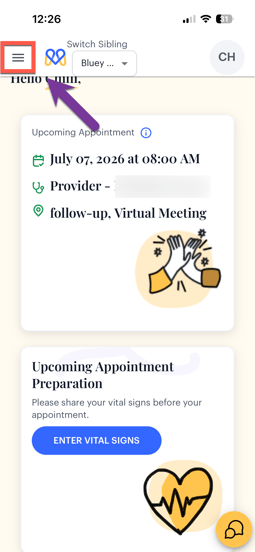
Click on the three horizontal bars in top left corner to access the navigation menu
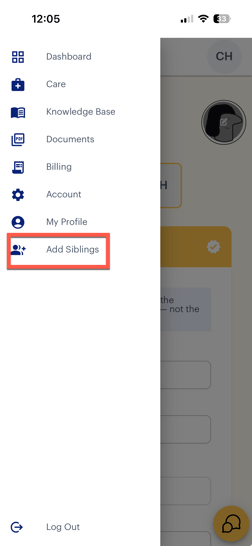
- Click "Add Siblings" from the navigation menu
-
Complete Patient Profile:
-
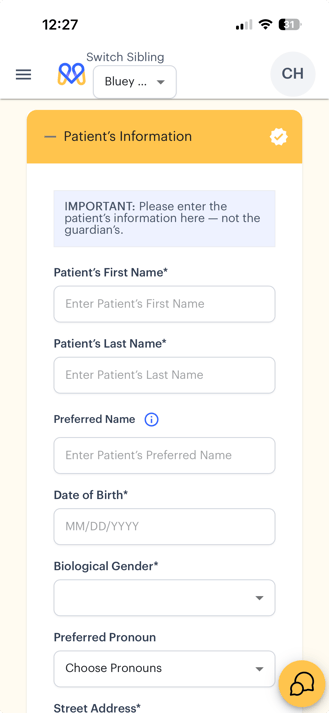
This will open the patient profile page. Please follow the steps on the screen to complete the required information and onboarding process.
-
The onboarding steps are the same as the ones you completed for your first child with MindWeal.
-
If you need assistance, refer to THIS guide for detailed detailed step-by-step instructions (follow from Step 2).
-