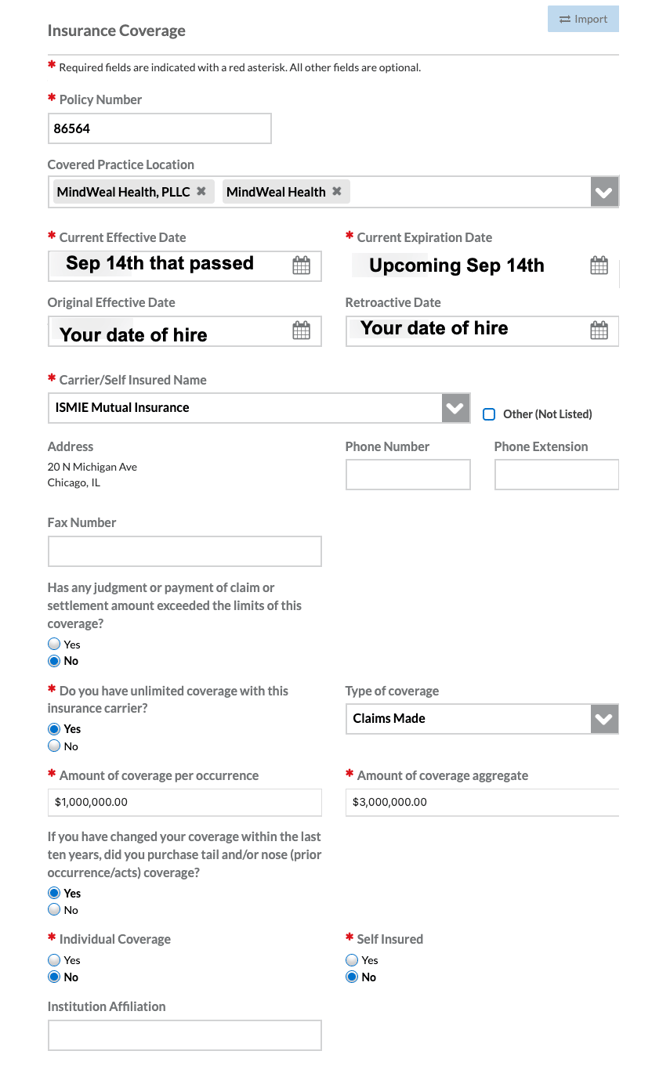
CAQH (Council for Affordable Quality Healthcare) is an online database that centralizes provider credentialing information for health plans and other organizations. Here are the steps how to create/update your profile on CAQH:
-
Access the CAQH Website Click HERE to access the CAQH website.
-
Create or Login Into Your CAQH Account If you are new to CAQH, create an account. If you already have an account, log in using your credentials.
-
Fill in the Information as Asked Complete the required fields. Below are some fields that you might need guidance on.
-
Upload the Required Documents Prepare and upload documents such as licenses, certifications, proof of insurance, and other necessary credentials.
-
Review & Attest Carefully review all the information entered. Once verified, attest to the accuracy of your profile to complete the process.
Personal Information
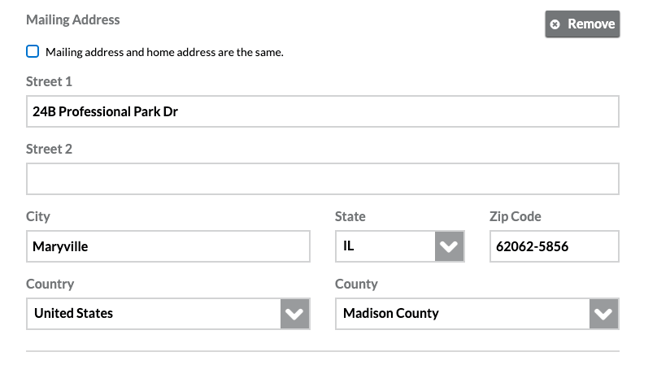
Mailing Address:
Additional Email:
Fax No:

Specialities
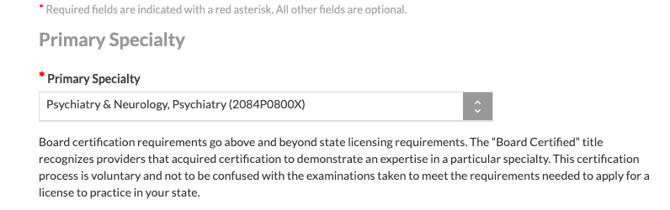
Primary Speciality
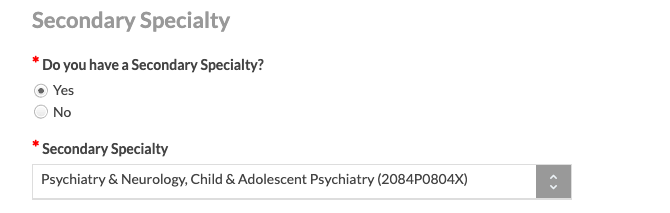
 Secondary Speciality
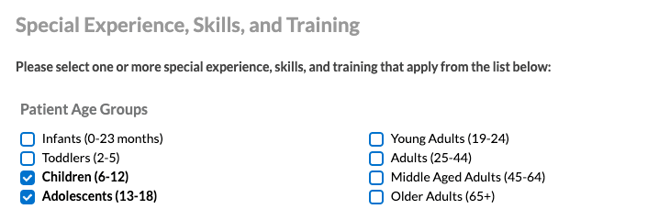
Special Experience, Skills & Training
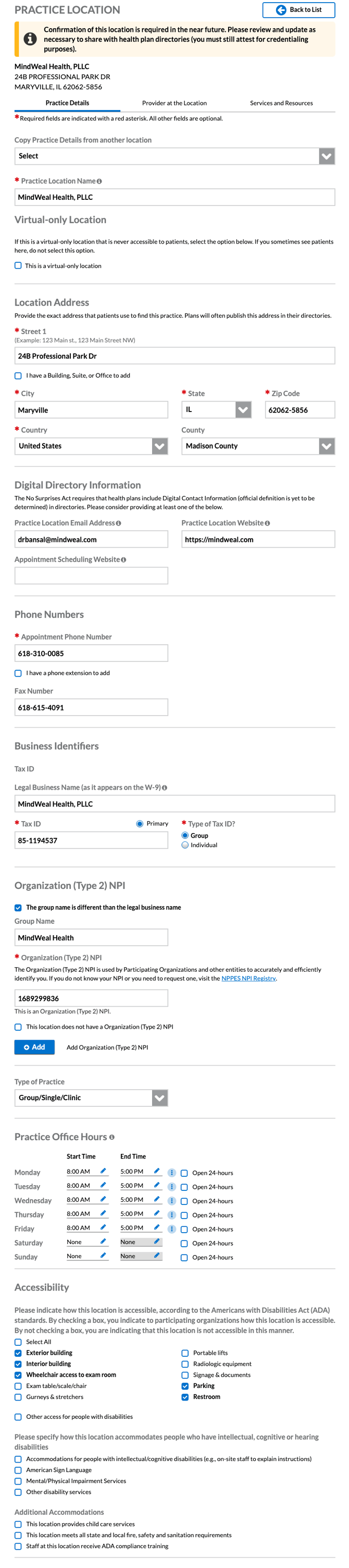
Practice Locations
Practice Details
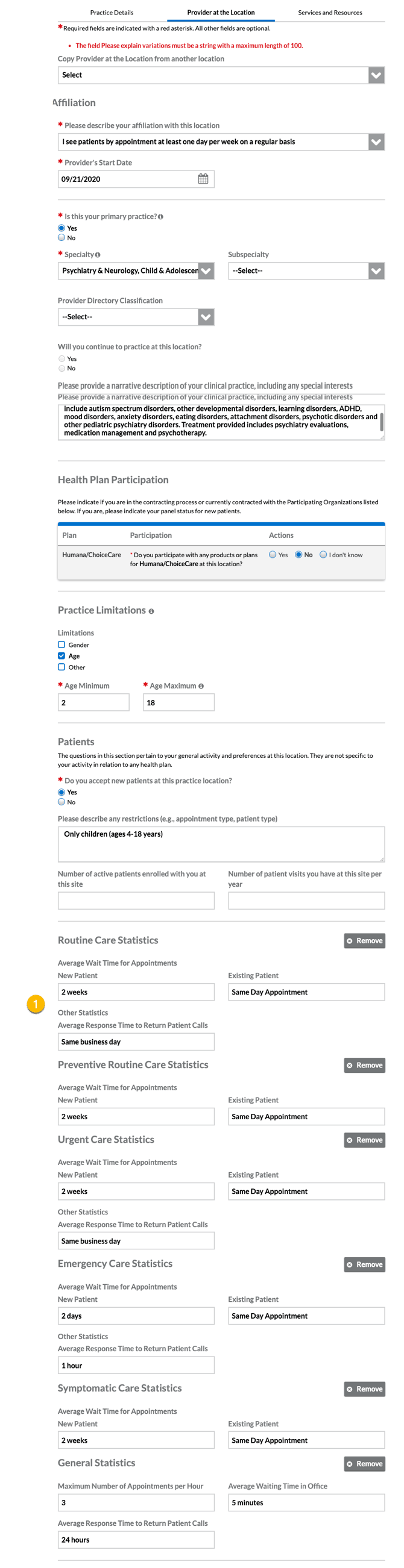
Provider at this location
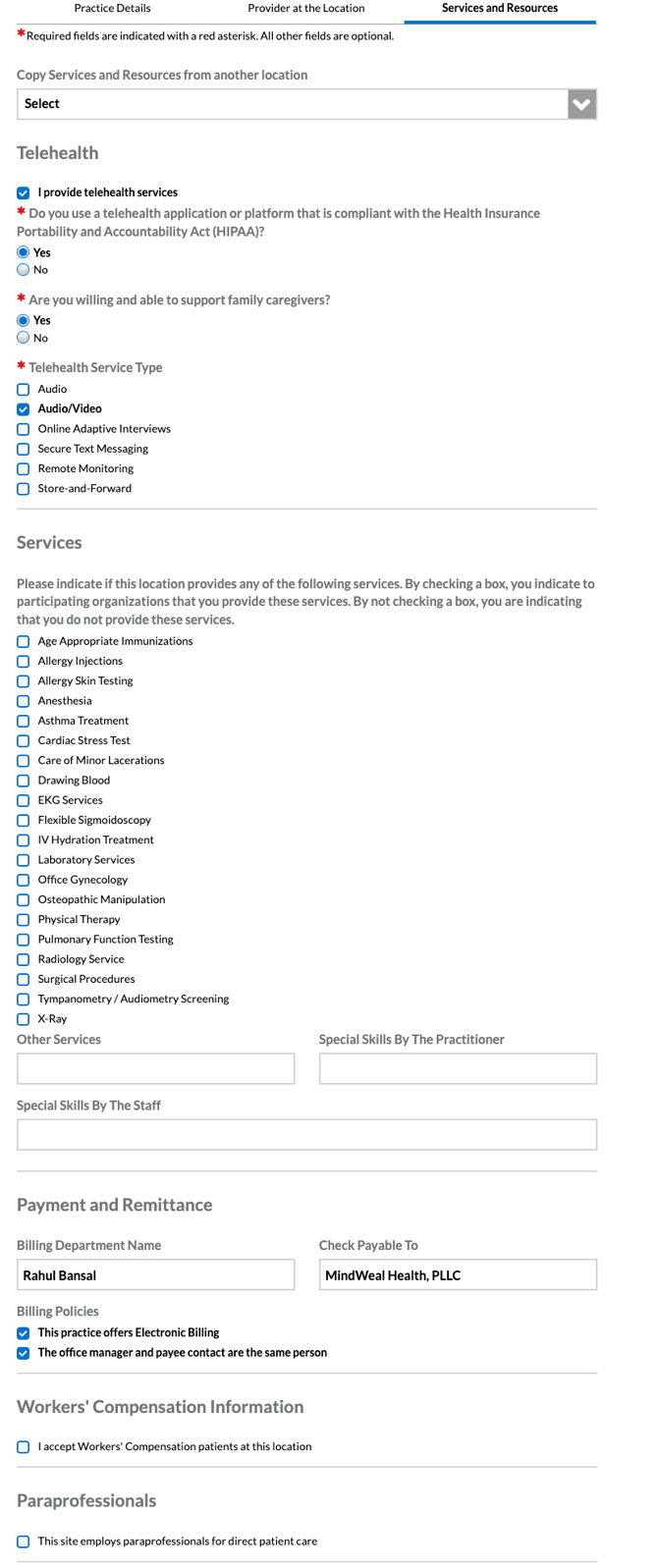
Services & Resources
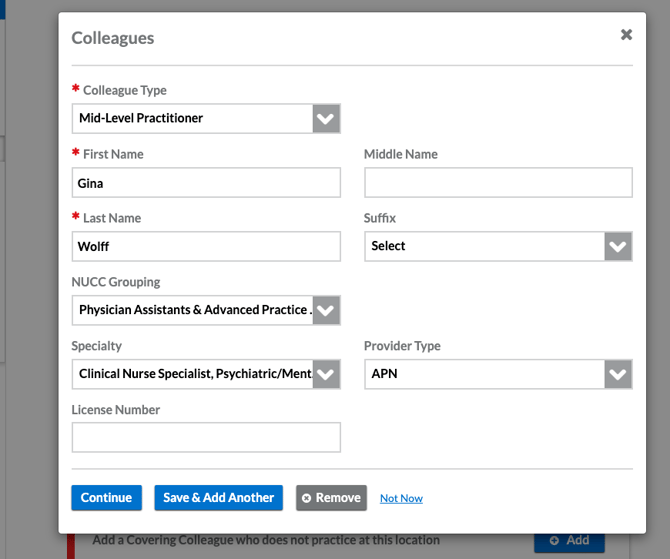
Colleagues
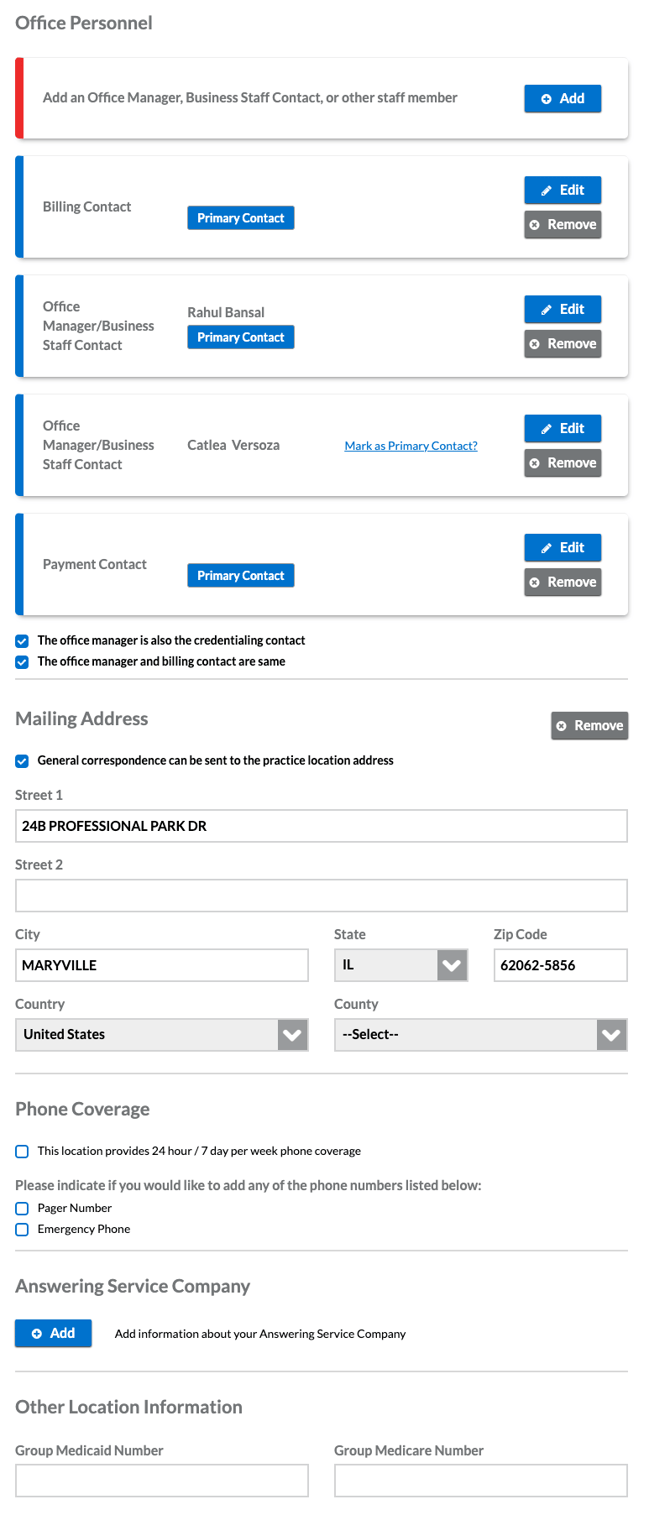
Office Personnel, Mailing Address, Phone Coverage, Answering Service
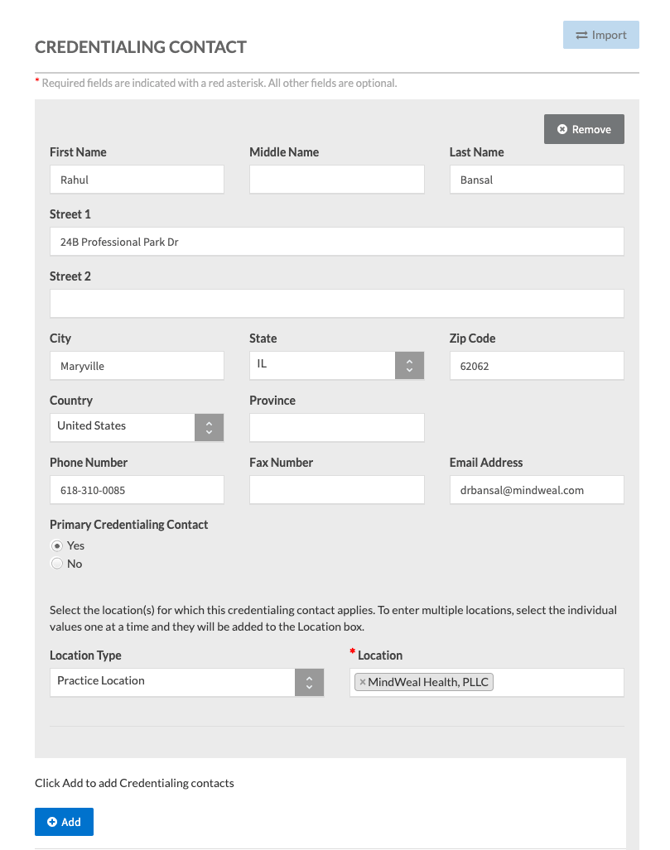
Credentialing Contacts
Personal Liability Insurance