Whenever you open a patient chat and select a channel, please check if there is a green dot in front of that channel. A green dot means that another team member is already working in that channel and actively handling a task. In this situation, you are entering an already active chat.
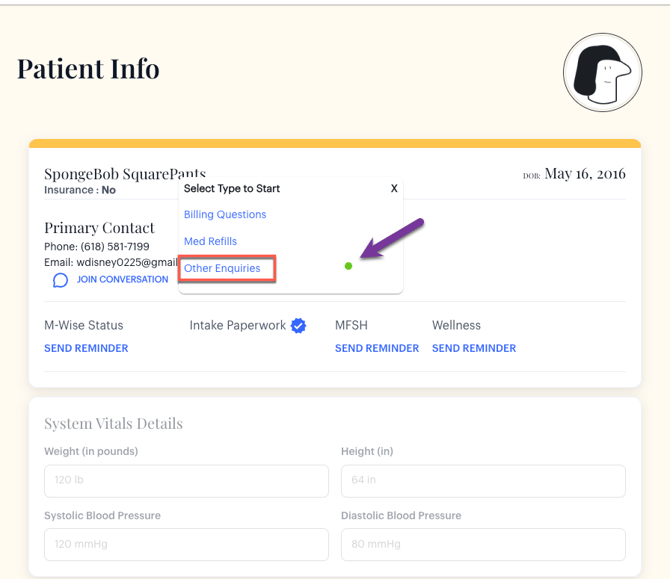
If you need to send your own message or complete a separate task within that same chat, that is completely fine. However, once you are done, do not close the chat. Closing the chat may interrupt or stop the other person’s ongoing work.
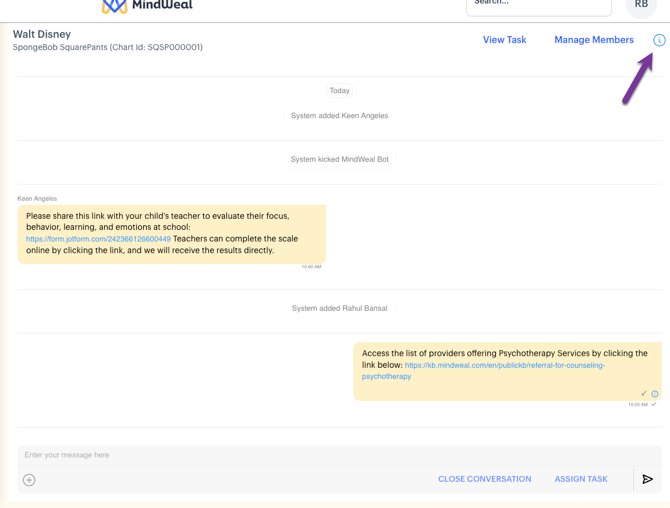
Instead, simply leave the chat. This ensures that it remains open for the person who is still working on their task. Step to leave the chat:
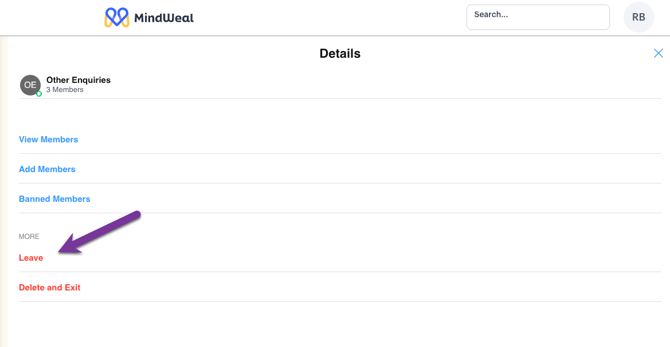 As a Final step: please refresh the chat window to see the updated list of active chats you are part of.