![mw-logo-svg (1).svg]](https://kb.mindweal.com/hubfs/mw-logo-svg%20(1).svg)
The MindWeal app is a web application, so it’s not available for download from the Apple App Store or Google Play Store.
You can easily add the app directly on your phone’s home screen from the MindWeal website.
The setup steps are slightly different depending on:
- Whether you are using an iPhone (Apple) or Android
- Which browser you are using on iPhone (Google Chrome or Safari)
Please click on the option below that matches your phone and browser to view the correct setup steps.
I-Phone using Safari
- Go to: mindweal.com.
IMPORTANT: Make sure you do NOT accidentally click care.mindweal.com. when searching MindWeal on Google, care.mindweal.com may appear first as a sponsored/ad link — do not click it. Instead scroll doen to click mindweal.com
-
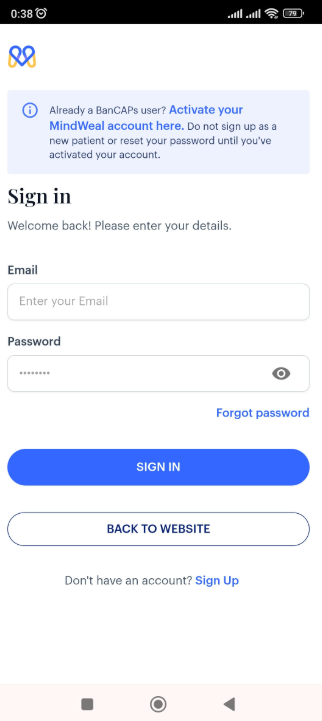
Click Log In as shown in the image below.
- Click the three dots in the lower-right corner of the screen next to the browser address bar.
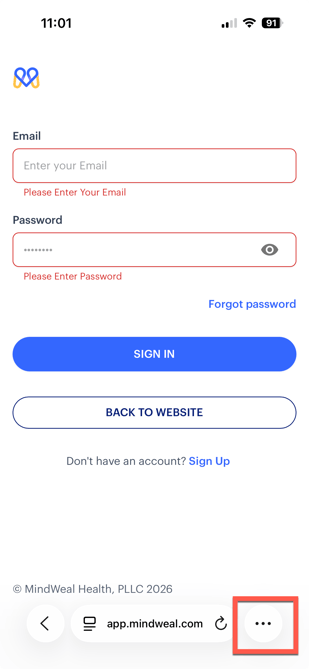
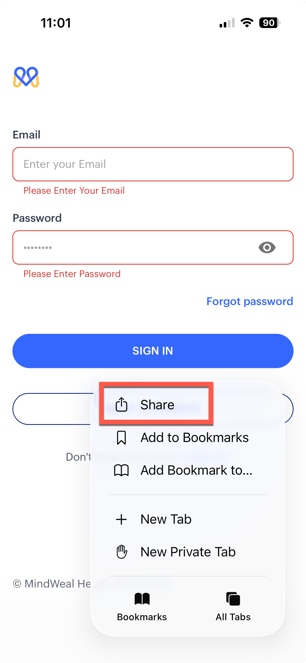
- In the menu that appears, click Share as shown in the image below
- A popup menu will appear at the bottom of the screen. Scroll down the menu
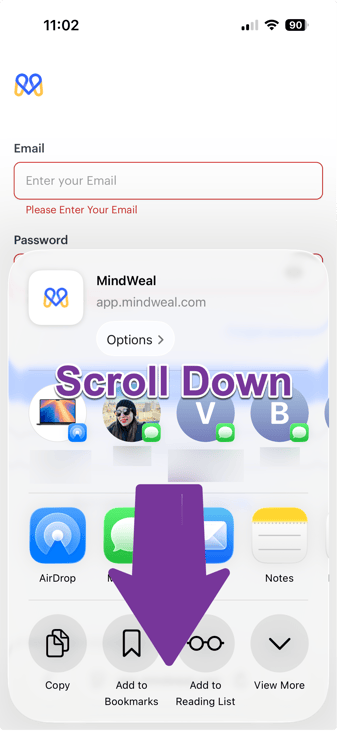
- Select Add to Home Screen.
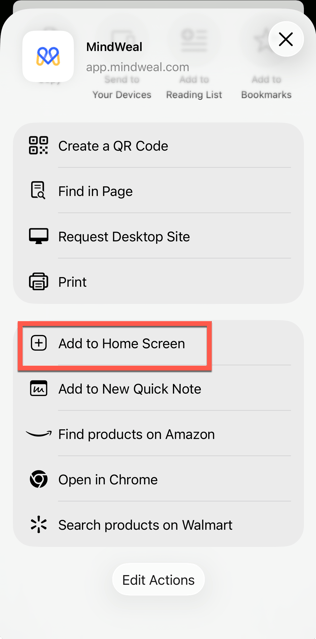
- Click Add to install MindWeal to your Home Screen.
I-Phone using Chrome
- Go to: mindweal.com.
IMPORTANT: Make sure you do NOT accidentally click care.mindweal.com. when searching MindWeal on Google, care.mindweal.com may appear first as a sponsored/ad link — do not click it. Instead scroll doen to click mindweal.com
- Click Log In as shown in the image below.
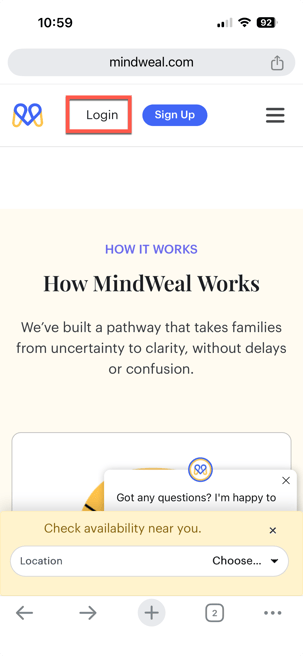
-
Click the icon in the upper-right corner of the screen as shown below.
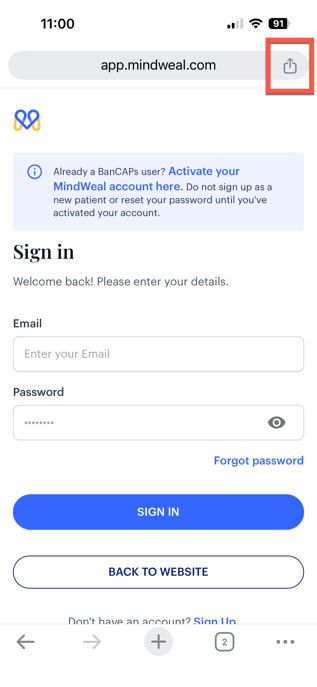
-
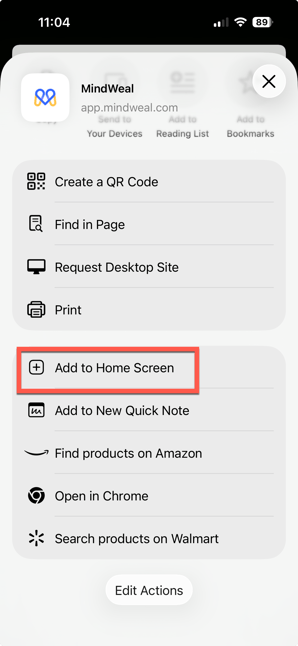
A popup menu will appear at the bottom of the screen. Scroll down the menu
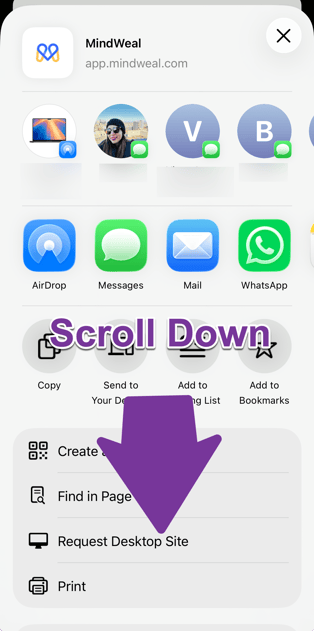
- Select Add to Home Screen.
-
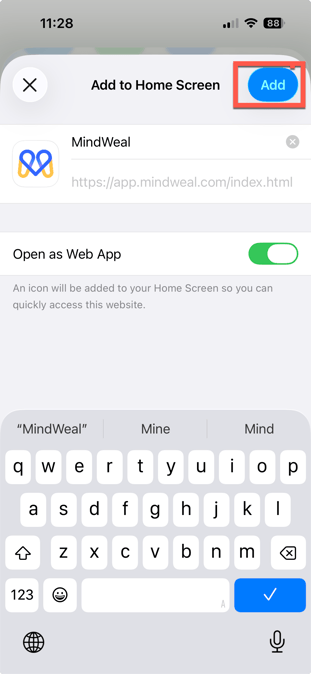
Click Add to install MindWeal to your Home Screen.
Android Phones
- Go to: mindweal.com.
IMPORTANT: Make sure you do NOT accidentally click care.mindweal.com. when searching MindWeal on Google, care.mindweal.com may appear first as a sponsored/ad link — do not click it. Instead scroll doen to click mindweal.com
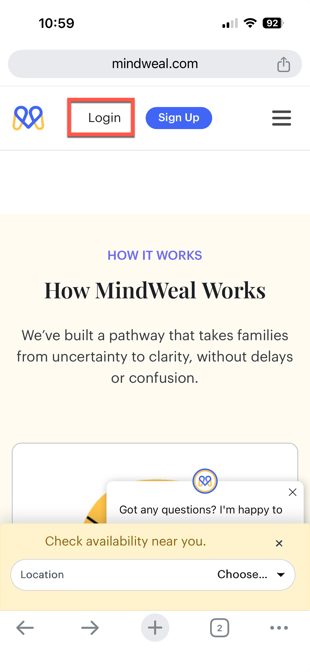
- Click Log In as shown in the image below.
-
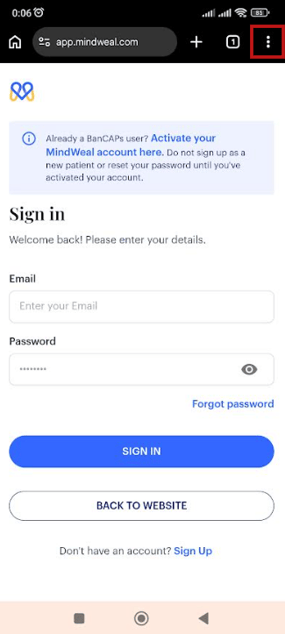
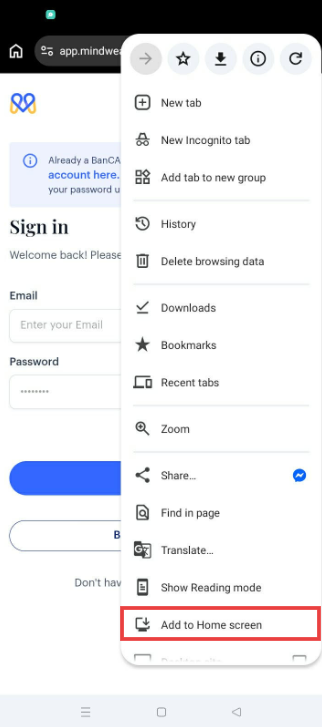
Click the 3 dots in the upper-right corner of the screen as shown below.
-
Scroll down and select Add to Home Screen.
-
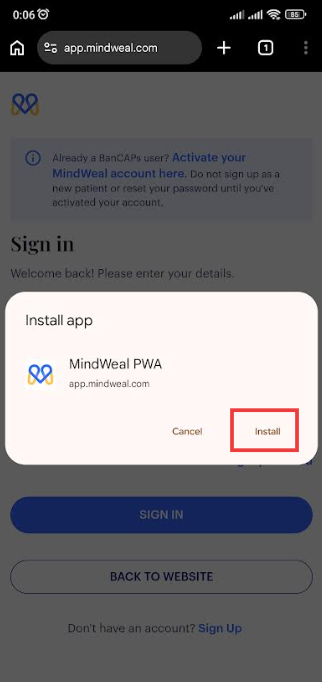
Following screen will appear, Click "Install"
-
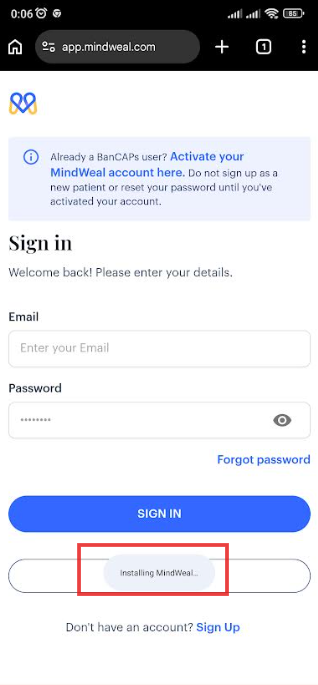
Standby a few seconds as its installing MindWeal
-
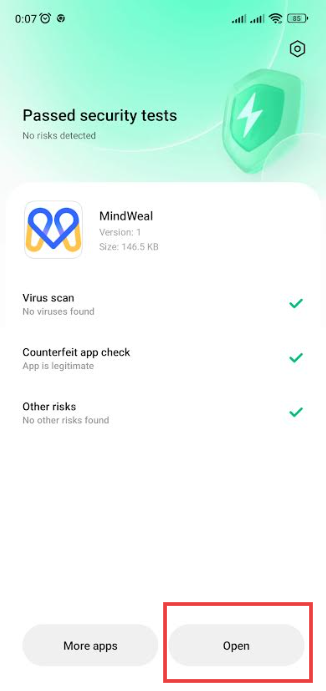
Following screen will automatically open. While it may vary slightly depending on the phone, this is a common step on most Android devices. Wait for the checkmarks to finish loading, then press “Open.”
-
Clicking “Open,” will open MindWeal app on your phone and display the login/sign-in page within the app.