![mw-logo-svg (1).svg]](https://kb.mindweal.com/hubfs/mw-logo-svg%20(1).svg)
To make a payment on the MindWeal platform, please ensure you have an active payment method saved in your account. If not, click HERE to learn how to add or update your payment method.
Steps to Pay a Bill
Once your account is active and a payment method is set up, follow these steps to make a payment:
Check Your Billing Details
The platform does not display your pending bills directly. To confirm your balance, you can:
- Send a secure message via Secure Chat.
- Email us at billing@mindweal.com.
- Call us at 618-310-0085.
- Refer to your billing statement.
Access the Payment Option
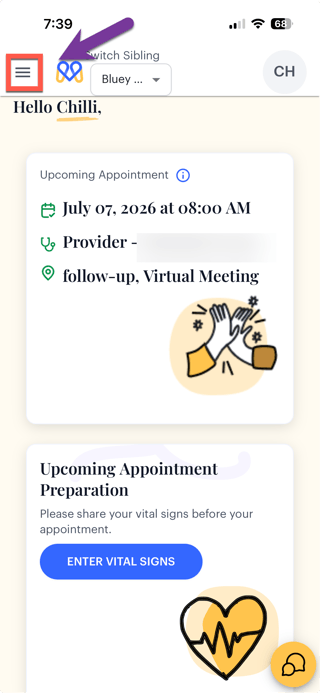
- Tap the three horizontal lines (☰) in the upper-left corner of the screen to open the navigation menu.
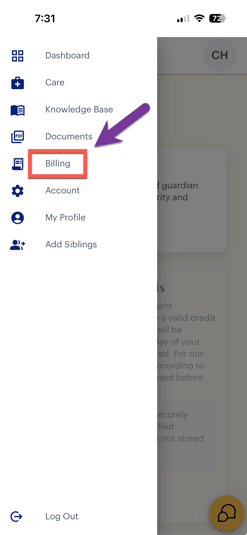
- Select “Billng” from the menu.
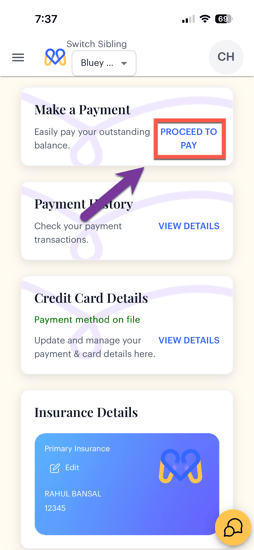
- Navigate to “Make a Payment” and click "Proceed to Pay."
Enter Payment Details
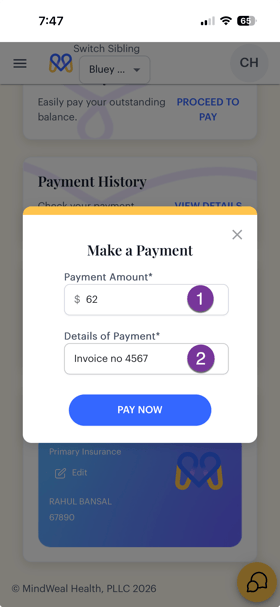
- On the payment screen, enter the payment amount.
- Provide the details of the payment (e.g., invoice number, copay, balance payment, etc.). This field is mandatory to activate the “Pay Now” button.
Submit Your Payment
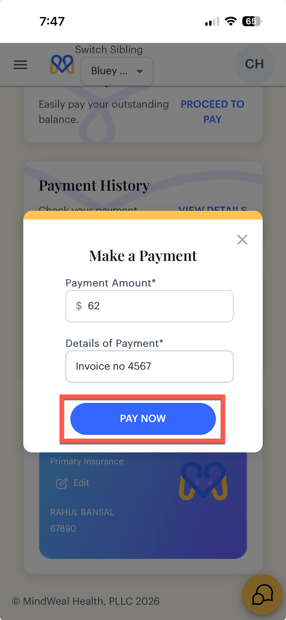
Click “Pay Now.”
Payment Confirmation
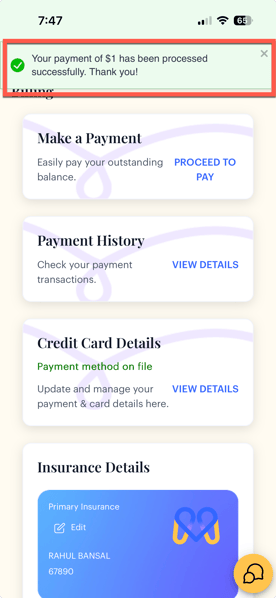
After a successful payment, a payment confirmation message will appear on the screen confirming that your transaction has been completed successfully.
Receive Email Confirmation
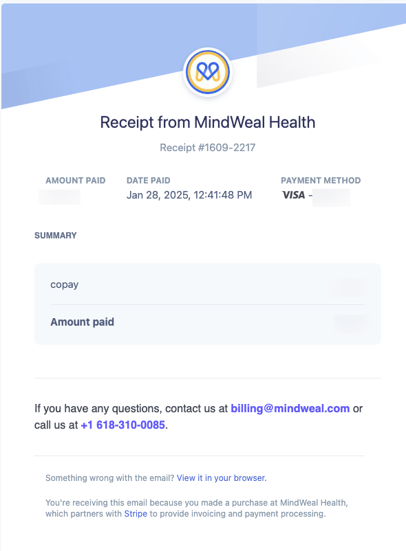
Stripe will send you a confirmation email once your payment has been successfully processed.